Turn writing and numbers into visuals people remember.

Paste your notes or figures, press the quill, and pick from 71 diagrams and charts in 31 styles. Restyle, edit, and export as PNG, PowerPoint, PDF, or an animated GIF.

Start for freeRead the guideNo credit card. Your documents stay yours.
A 3D bar chart of sales by region in the Glossy Pop style A product feedback loop in the Prism Night style A product launch process in the Chrome and Steel style
GraphitePrism LinesPrism NightSherbetDusk GlowMeadowSunroomVoltageMonochromeEditorialCandy PopEvergreenMint GardenCoral FlowAurora ColumnsClean ReportBoardroomNotebookWhiteboardLagoon InkBlueprintSticky NotesClay StudioSoft RenderGlossy PopFrosted GlassChrome & SteelSlate DepthTangerine BlockGlacierIsometric Blocks GraphitePrism LinesPrism NightSherbetDusk GlowMeadowSunroomVoltageMonochromeEditorialCandy PopEvergreenMint GardenCoral FlowAurora ColumnsClean ReportBoardroomNotebookWhiteboardLagoon InkBlueprintSticky NotesClay StudioSoft RenderGlossy PopFrosted GlassChrome & SteelSlate DepthTangerine BlockGlacierIsometric Blocks
See it work

Inklet in 40 seconds.

Paste notes, press the quill, pick a chart, switch styles, export a PNG and an animated GIF.

How it works

Write it. Press the quill. Pick one.

1

Write or paste

Notes, a list, a table from a spreadsheet, or a whole document. Inklet reads the structure: steps, dates, comparisons, hierarchies, numbers.

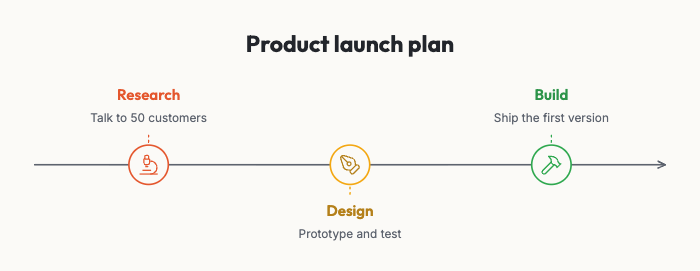
Product launch plan 1. Research: talk to 50 customers 2. Design: prototype and test 3. Build: ship the first version
2

Get visual ideas

Press the quill beside a paragraph. Inklet offers the kinds of visuals that fit that text, each in your preferred style, ready to compare.

The text as a processThe text as an arc fanThe text as a timeline
3

Restyle, edit, export

Switch style or kind at any time; your edits are kept. Change any text, icon, color or font. Export a picture, a slide, a PDF, or an animated build-up.
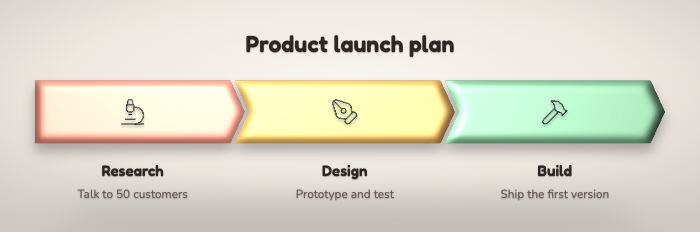
The same process in the Clay Studio style
71 visuals · 31 styles · 7 looks

Every visual, in your style.

Charts, processes, timelines, cycles, comparisons, hierarchies and more. Flat, hand-drawn or 3D. Add your own brand colors and fonts.

Numbers into charts

Paste figures, get a chart.

Lines like Q1: $1.2M, comma-separated rows, or cells copied from Excel, Numbers or Google Sheets. Inklet reads currencies, percentages, k, M and bn, European formats, date ranges, and plus and minus amounts.

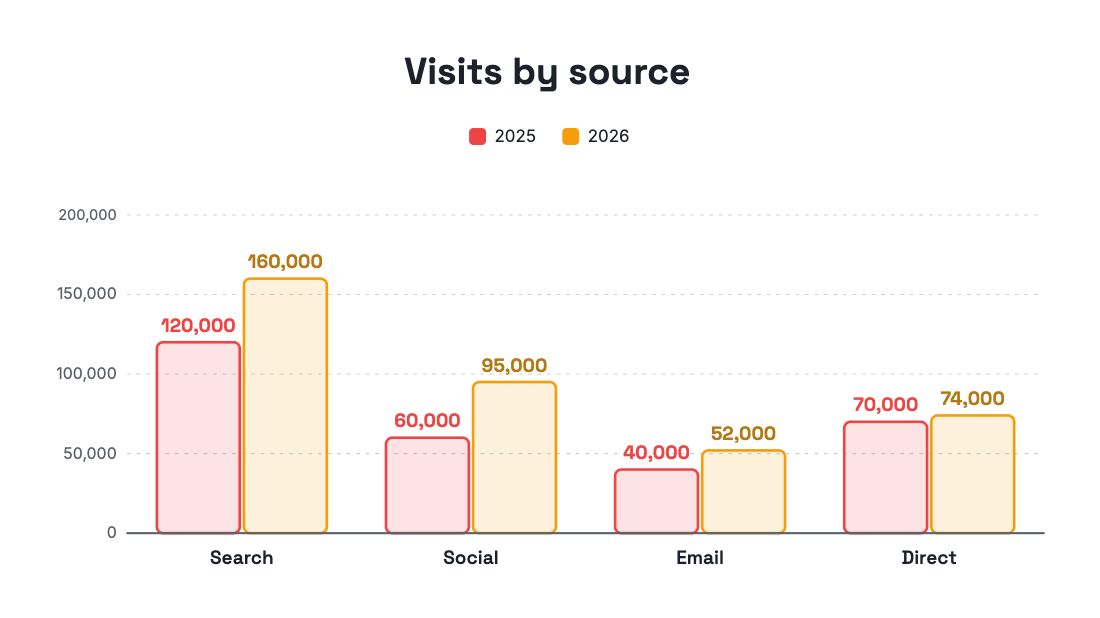
  • A table with several columns becomes grouped bars, a line per column, or a data table
  • Plus and minus amounts become a waterfall; date ranges become a Gantt chart
  • $1.2M and $950K land on one scale
  • Import CSV and Excel, and change the numbers any time in the Chart data spreadsheet
A grouped bar chart made from a pasted table
Animated build-up

Charts that draw themselves.

Every visual can build up piece by piece: bars grow, steps appear one at a time, lines draw. Present it click by click, or export the build-up as a looping GIF or an MP4 for LinkedIn, Slack, email and websites.

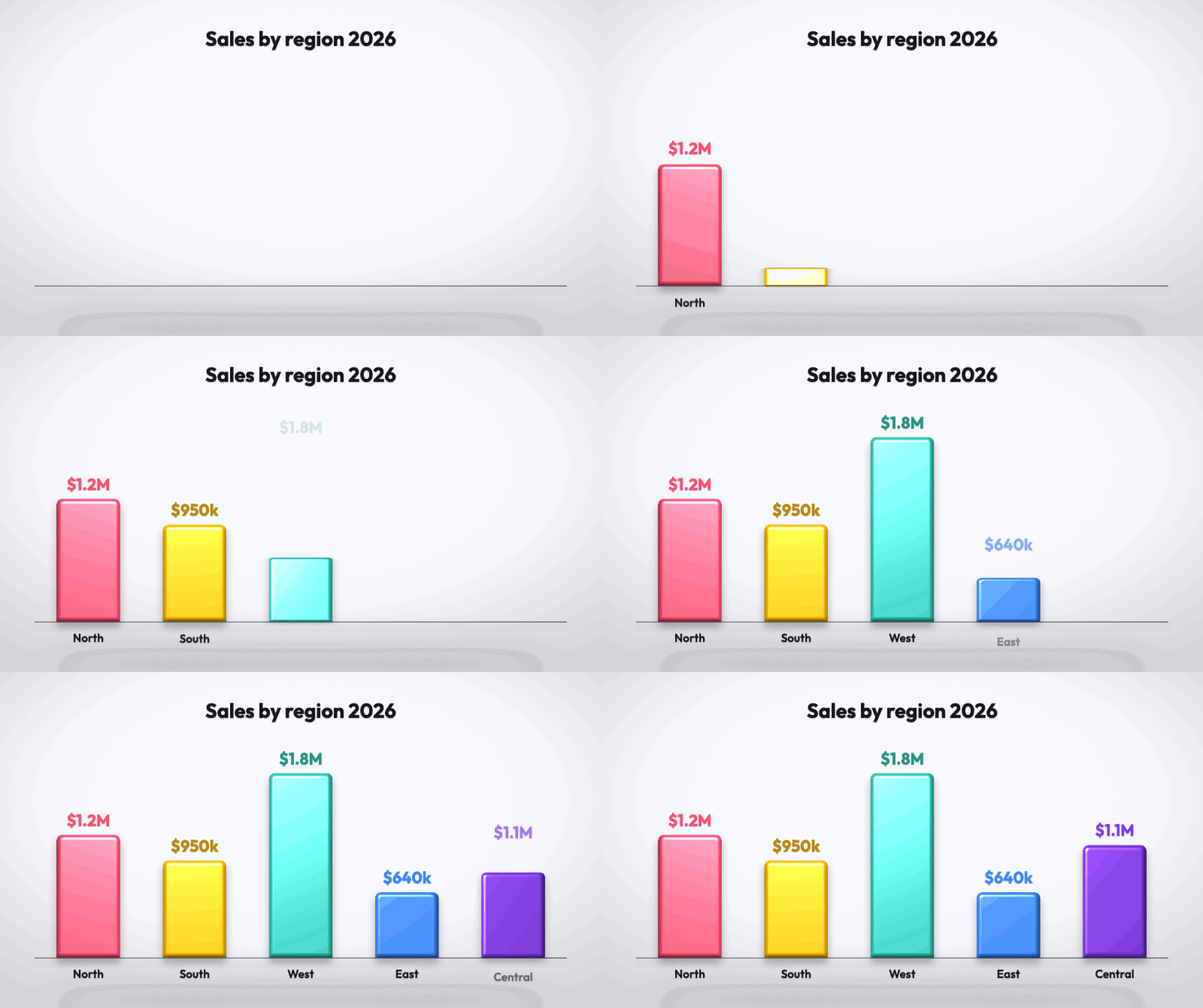
Animated bar chart
Bars growGIF
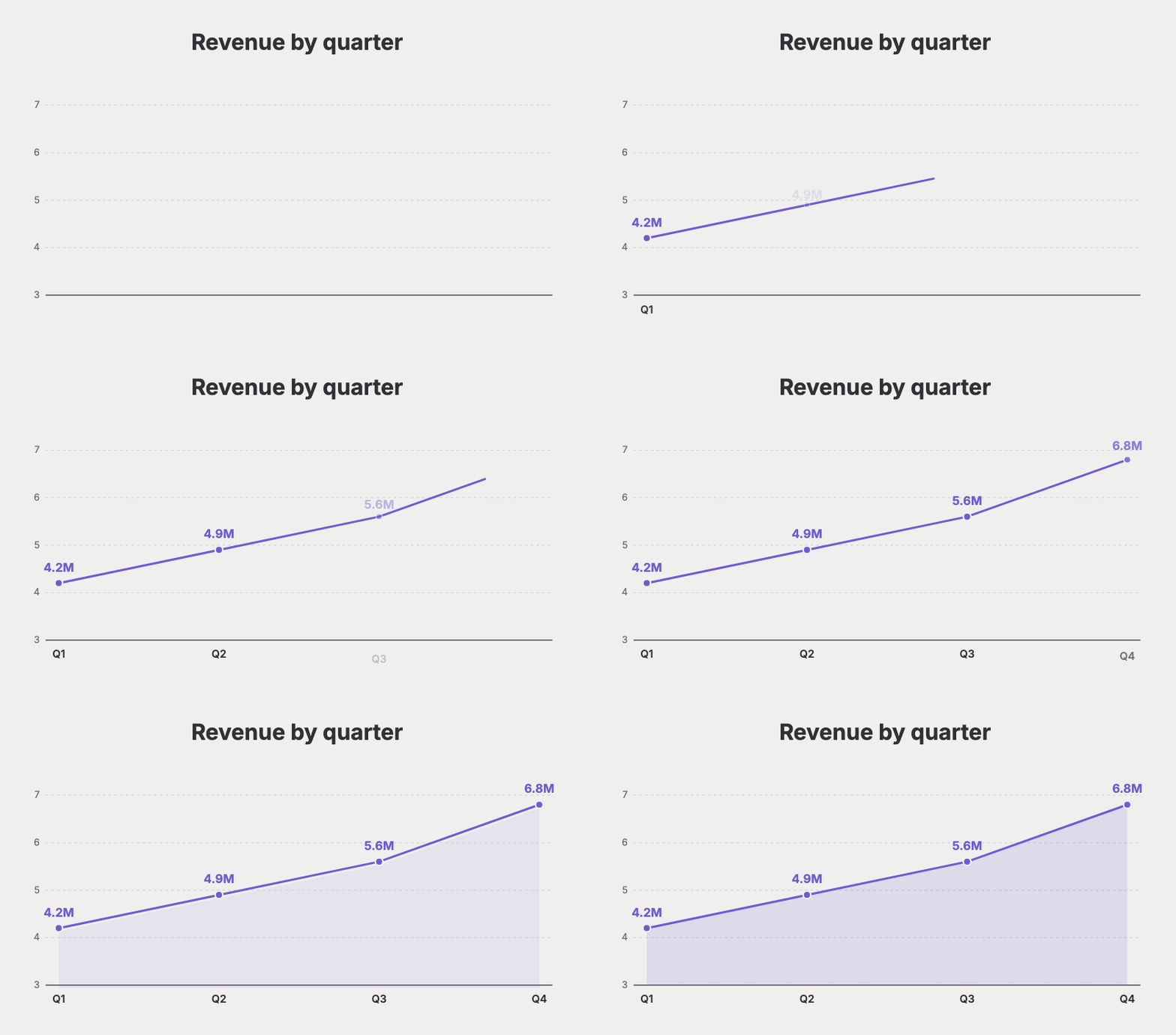
Animated line chart
Lines drawGIF
Animated process
Steps appearGIF
Animated donut chart
Slices popGIF
Animated cycle
Cycles turnGIF
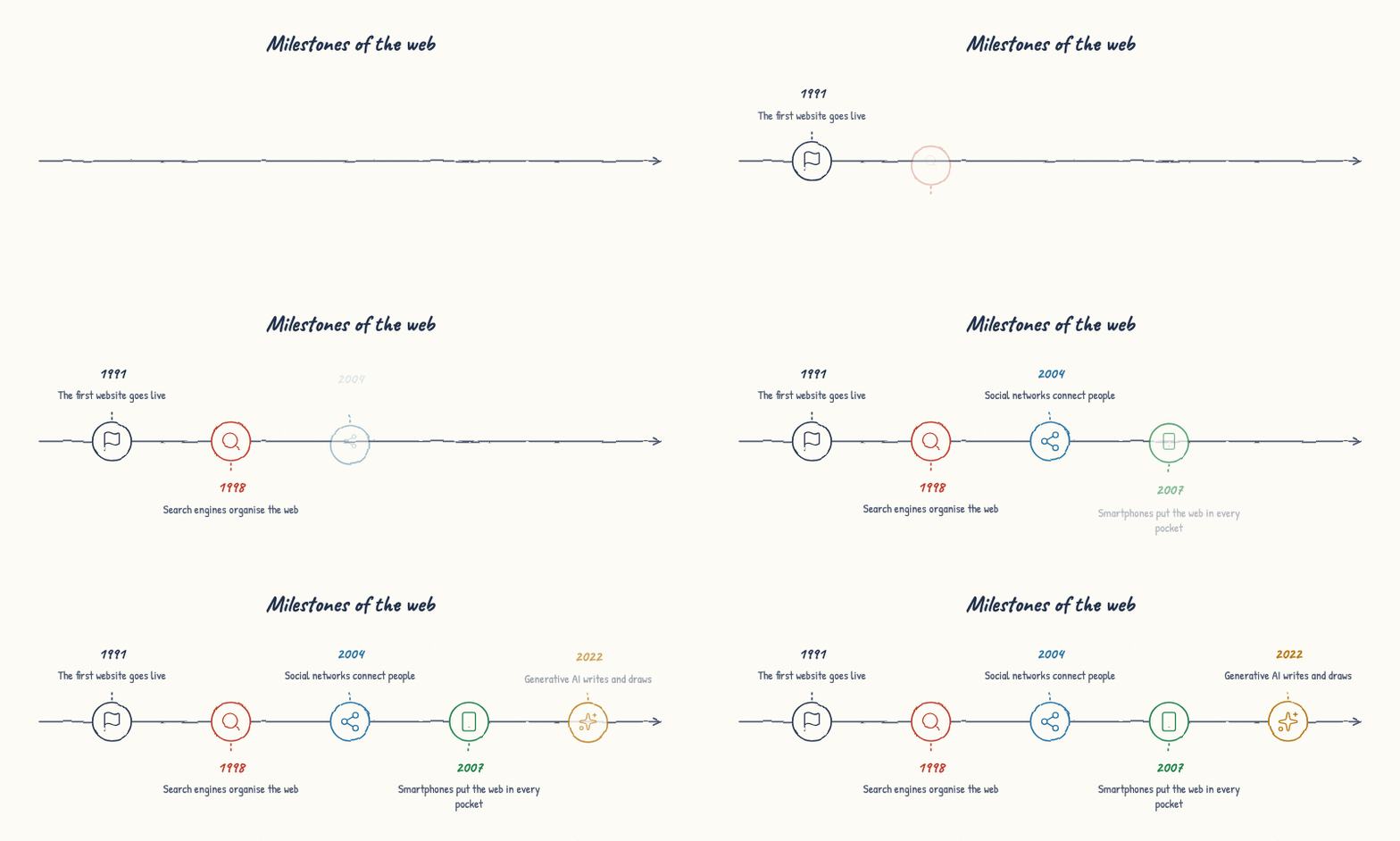
Animated timeline
Timelines unfoldGIF
Pricing

Free to start. Plus for documents. Pro for animation.

Every visual and every style are free, with no watermark. PowerPoint, PDF and vector exports are in Plus; animation is in Pro.